 Welcome to our Fitness Edition World of 'Dance Challenge'
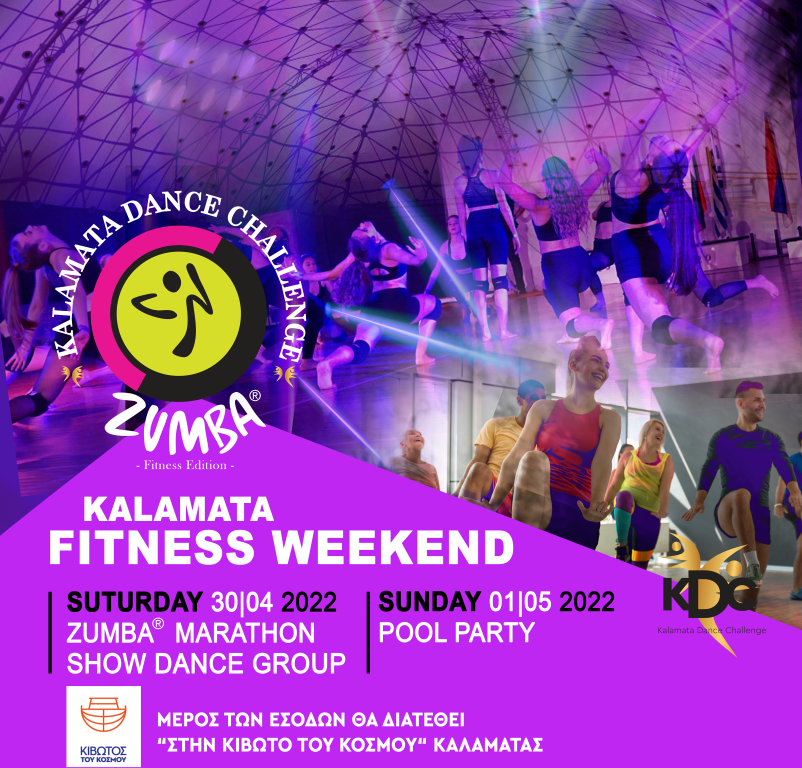
Πρόκειται για μια πρωτότυπη γιορτή χορού και γυμναστικής για όλους με φιλανθρωπικό σκοπό, στην όμορφη και ανοιξιάτικη Καλαμάτα! Μέρος των εσόδων θα διατεθούν σε δωρεά για τις ανάγκες των παιδιών της 'Κιβωτού του Κόσμου'.Το διήμερο Kalamata Fitness Weekend για το 2022 διεξάγεται την τελευταία βδομάδα του Απριλίου που συνδυάζεται με την αργία της Πρωτομαγιάς (Σάββατο 30 / 4 - Κυριακή 1 / 5 / 2022) και στόχο έχει να καθιερωθεί ως ετήσιο Event που θα λαμβάνει χώρα κάθε χρόνο στην Καλαμάτα γύρω στο Μάιο.
Περιλαμβάνει πολλές δράσεις. Μπορείτε να συμμετέχετε σε όποιο από τα παρακάτω:
1. Group Show Dance Performances
2.3ωρο Zumba® Marathon (Τέντα)
3. Aerial Dance Competition (στο κλειστό του Δημοτικού Σταδίου Παραλίας Καλαμάτας Κυριακή 1/5/2022 ωρα 10:00)
4. All Day Pool Dance Party to know us better (Κυριακή 1 Μαίου από 12:00 και μετά στο Akti Beach Bar στη Σάντοβα)
Αυτοί που συμμετέχουν στο 1 ή στο 3 έχουν δώρο το 2. Όλοι οι συμμετέχοντες έχουν δωρεάν είσοδο στο πάρτυ της Κυριακής.
Τα ομαδικά προγράμματα στο Group Show Dance είναι περιορισμένα. Προτεραιότητα έχουν οι γυμναστικοί σύλλογοι, γενικής γυμναστικής, ρυθμικής, ακροβατικής εδάφους και κατόπιν οι διάφορες σχολές για χορευτικά γκρουπ. Δεν είναι αγωνιστικά αλλά φεστιβαλικά!
Οι συμμετέχοντες με το βραχιολάκι τους, μπορούν να παρακολουθήσουν δωρεάν για όση ώρα θέλουν τον διαγωνισμό στα ακροβατικά που θα πραγματοποιηθεί την Κυριακή 1 Μαίου 2022 από τις 10:30 και μετά στο κλειστό γυμναστήριο του Δημοτικού Σταδίου παραλίας Καλαμάτας (Εθνικό Στάδιο).
DATE & LOCATION OF ZUMBA® MARATHON: Saturday 30 April 2022 in 'TENTA' Sports Hall of Kalamata, Messinia GR (Sfakianaki 9, Kalamata)
DATE & LOCATION OF GROUP SHOW DANCE PERFORMANCES: Saturday 30 April 2022 in 'TENTA'
DATE & LOCATION OF ALL DAY POOL PARTY: Sunday1 May 2022 at 'Akti Beach & Pool Bar' - Santova Time: 12:00 - 17:00
TIMETABLE: 3 hours of Zumba® Marathon 18:00 - 21:00 | Saturday 30 April
HOSTED ZIN™ INSTRUCTORS: Konstantinos Nikoletos (+306973839443), Konstantina Kouvelaki (+306932081352)
ORGANIZING COMMITEE:Dance Challenge Greece - Kalamata
CO - ORGANIZER: PolisArt Events
MANAGING DIRECTOR: Nina Drakou (+306932426008)
ASSISTANT DIRECTOR: Georgia Kalogera (+306932663421)
GENERAL SECRETARY: Ioanna Mastorea (+306947832986)
SPONSORS: Kapola Gymnastics, Messinian Spa
It's easy to get started creating your website. Knowing some of the basics will help.
A content management system is software that allows you to create and manage webpages easily by separating the creation of your content from the mechanics required to present it on the web.
In this site, the content is stored in a database. The look and feel are created by a template. Joomla! brings together the template and your content to create web pages.
To login to your site use the user name and password that were created as part of the installation process. Once logged-in you will be able to create and edit articles and modify some settings.
Once you are logged-in, a new menu will be visible. To create a new article, click on the "Submit Article" link on that menu.
The new article interface gives you a lot of options, but all you need to do is add a title and put something in the content area. To make it easy to find, set the state to published.
The look and feel of your site is controlled by a template. You can change the site name, background colour, highlights colour and more by editing the template settings. Click the "Template Settings" in the user menu.
The boxes around the main content of the site are called modules. You can modify modules on the current page by moving your cursor to the module and clicking the edit link. Always be sure to save and close any module you edit.
You can change some site settings such as the site name and description by clicking on the "Site Settings" link.
More advanced options for templates, site settings, modules, and more are available in the site administrator.
Your site actually has two separate sites. The site (also called the front end) is what visitors to your site will see. The administrator (also called the back end) is only used by people managing your site. You can access the administrator by clicking the "Site Administrator" link on the "User Menu" menu (visible once you login) or by adding /administrator to the end of your domain name. The same user name and password are used for both sites.
There is much more to learn about how to use Joomla! to create the website you envision. You can learn much more at the Joomla! documentation site and on the Joomla! forums.
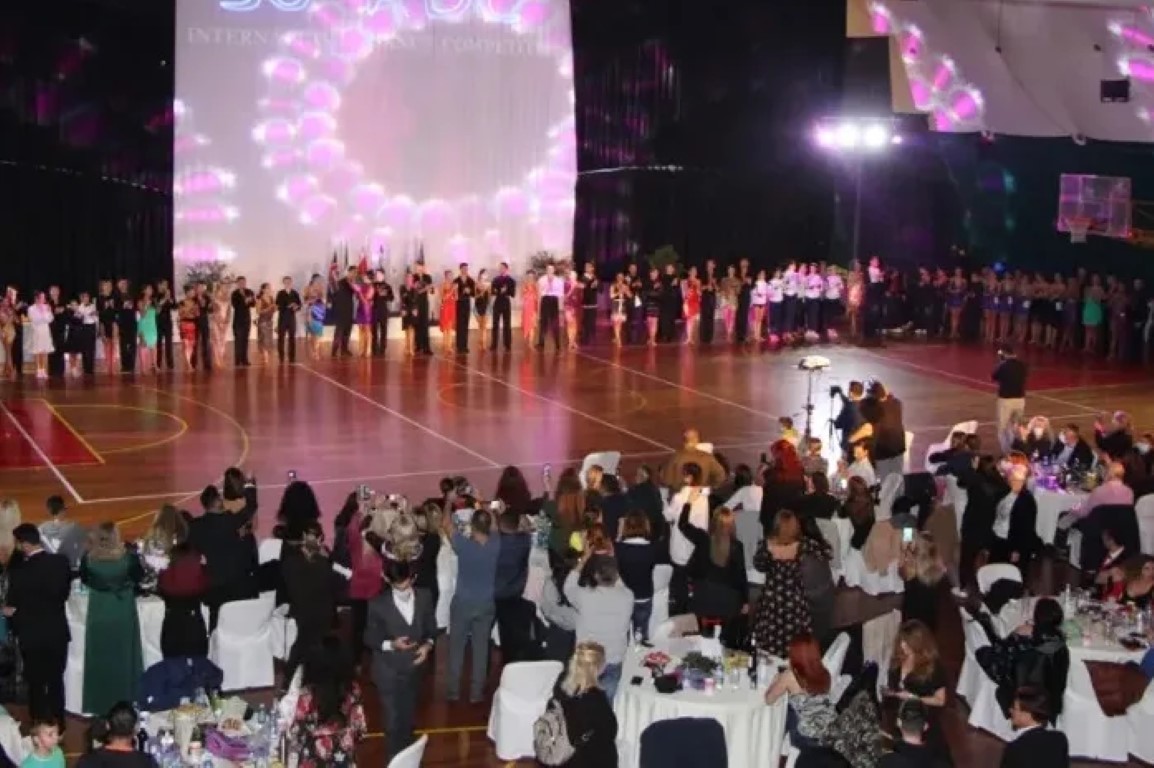
The International Kalamata Dance Challenge (KDC) Production Events are vibrant, multidisciplinary festivals of arts, culture, and sports, passionately organized by the Greek legal organization, Kalamata 'Dance Challenge.'
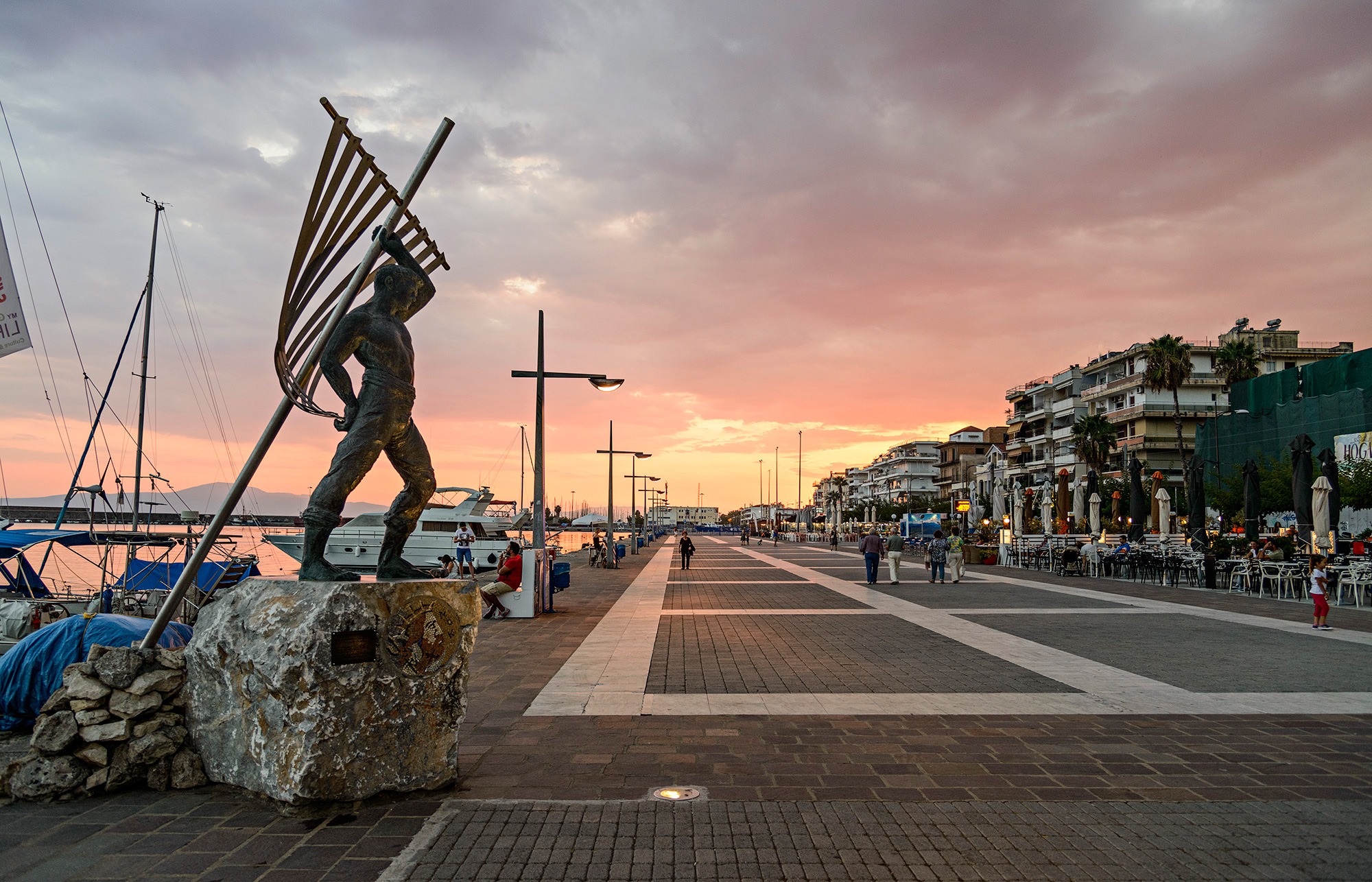
Held in the beautiful seaside "City of Dance," Kalamata, KDC produces world-class festivals and competitions in DanceSport, Aerial Arts, Greek Folk, and more. These events offer an incredible experience, perfect for a wonderful "dance escape" weekend for artists, teachers, and parents. Each KDC Festival is meticulously organized by a committee of dedicated and specialized members from the organization, led by President Nina Drakou.
Our festivals provide a global stage for artists of all ages, from beginners to advanced, to promote their work and showcase their talent "beyond limits." KDC Festivals deliver rich spectacles and intense emotions for our art-loving audience. Our philosophy is rooted in offering creative and innovative festivals through a network of collaborations, presenting a true "dance challenge" for every dance lover. We always ensure a high standard of artistic quality and excellent value for money for our participants.
KDC Festivals welcome thousands of dancers, renowned teachers, adjudicators, and famous guests from various dance communities worldwide. We cultivate a fantastic atmosphere with beautiful decoration, stylish lighting, and amazing music. Participants can also enjoy plenty of extra activities, including workshops, masterclasses, presentations, lectures, excursions, gifts, scholarships, guided tours, specific art projects, and exhibitions.
We also proudly acknowledge and appreciate the hard work, dedication, efforts, and excellence of teachers, choreographers, and parents. Our guests for each festival are carefully selected based on their contributions to their respective dance industries, and we honor our guest partners with benefits and wonderful hospitality.
The Kalamata Dance Challenge is honored to be recognized by the Greek Ministry of Culture & Sports, the Ministry of Tourism, and the Greek National Tourism Organization under the motto "Visit Kalamata to Dance." We are always supported by the Municipality of Kalamata and the Messinian Chamber of Industry. We can't wait to see you there to show off your unique talent!
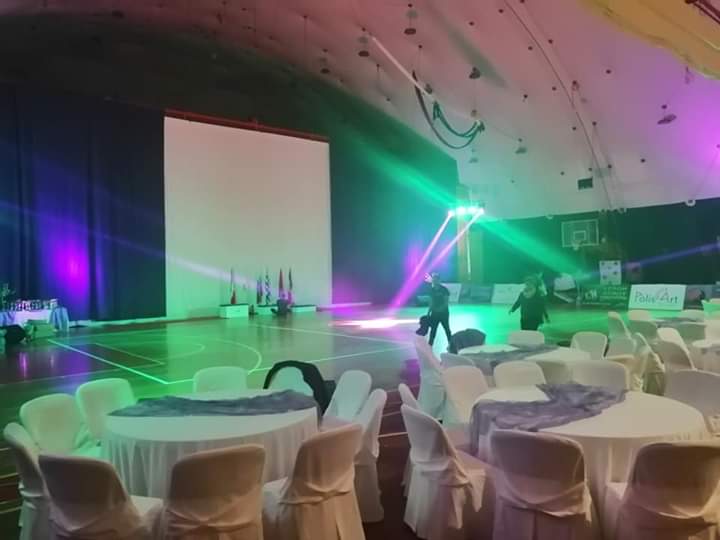
Just a two-hour drive from Athens, Kalamata isn't just a beautiful seaside city; it's an international hub for dance, culture, and sports. Our high-standard Municipal Indoor Seaside Stadium is meticulously designed for performance. It features a stunning parquet floor and ample carpeting for floor acrobatics, and crucially, it's the only venue in town with certified maximum safety for our aerial athletes. Combined with our vibrant atmosphere, stylish lighting, and quality music, it's impossible not to feel the excitement and good vibes.
The Kalamata Dance Cup, in collaboration with PolisArt Events, is synonymous with exceeding expectations in specialty entertainment. We pride ourselves on a modern approach to cultural event design and production, consistently innovating to meet every participant's needs. Our exceptional Organizing Committee specializes in Acrobatics & Aerial Arts. We partner with sponsors who provide top-tier equipment and generous prizes, ensure the best scrutineering system, and utilize a specialized platform for effortless registration. What truly sets us apart is our discerning selection of judges and renowned personalities from the international dance community, guaranteeing a high standard of competition and mentorship.
This is your moment to challenge your dance limits and unleash your talent and passion on stage! KDC events and competitions are extensively promoted across all media, featured on Greek TV, and our live streams reach millions of views. Every Kalamata Dance Event truly empowers you to dance "Beyond Limits." Seize this opportunity to showcase your creativity to our art-loving audience and step into the spotlight as the protagonist of your dance journey!
KDC offers more than just competitions; it's a complete dance escape designed for a full weekend of unforgettable experiences. Expect wonderful hospitality combined with a rich array of parallel activities and surprises for dancers of all ages, teachers, and parents alike. We proudly acknowledge and appreciate the hard work, achievements, and excellence of teachers, choreographers, and parents in helping dreams come true.
Our festivals blend Art, Culture, Sports, Gala events, Fitness, Workshops, Championships, and Show Dance performances with delightful recreational activities like city tours, bike rides, and tastings of local products. It's an experience so rich and engaging, your friends and family will undoubtedly want to join you!


Page 4 of 4
